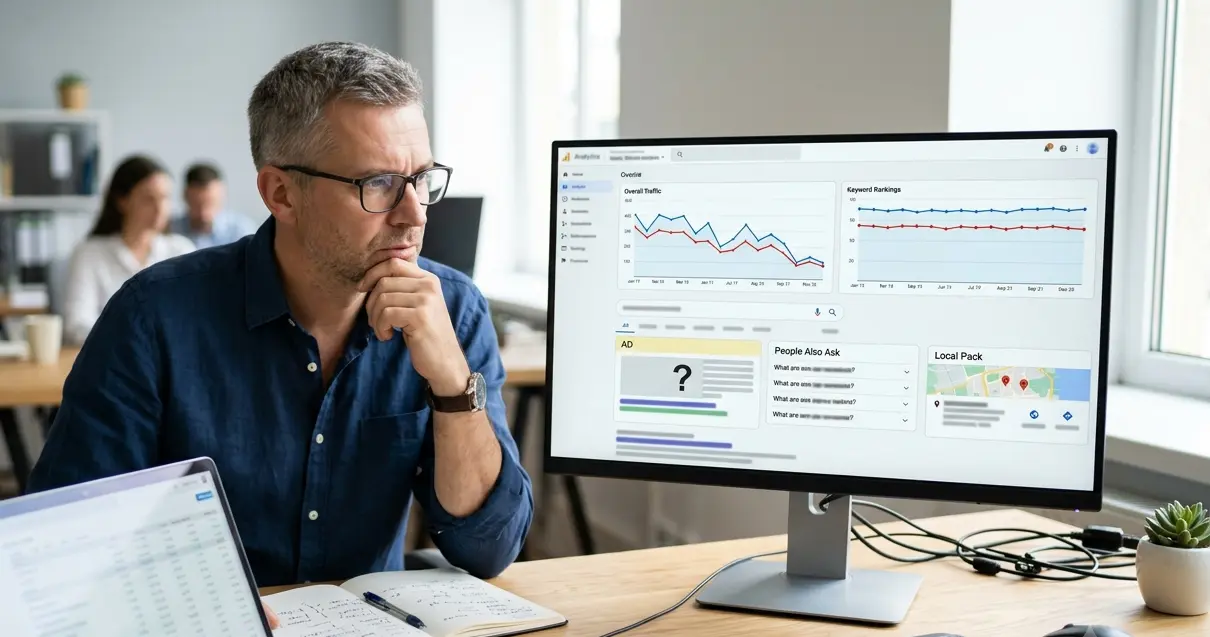
Why Traffic Drops Even When Rankings Stay the Same
A drop in organic traffic doesn’t always come with a drop in rankings. Your pages may still hold the same positions for the same keywords, yet your organic traffic is down. And you have no idea why.
Search behavior shifts, SERP layouts evolve, and what worked 18 months ago doesn’t always hold up today. Sometimes the problem isn’t your site at all, it’s the environment around it that changed.
This article looks at the reasons behind a drop in organic traffic that doesn’t come from ranking changes. By the end, you’ll have a clear idea of what’s going on and what you can do to resolve it.
Your Rankings Look Fine. So, Why Is Traffic Falling?
Rankings show where your page appears in search results, but they don’t reveal how many people clicked. Many site owners focus only on positions and overlook engagement. However, strong rankings can still generate less traffic when visibility changes.
Google has added more features to search results as time goes on, including featured snippets, ads, People Also Ask boxes, and local packs. These elements occupy valuable screen space and attract user attention. As a result, organic listings may receive fewer clicks even when rankings remain unchanged.
So your ranking might read third position, but users are now scrolling past four other elements before they even see your page. That kind of drop in visibility doesn’t show up in your ranking data at all, which makes it so easy to overlook.
AI Overviews Are Answering Searches Before the Click
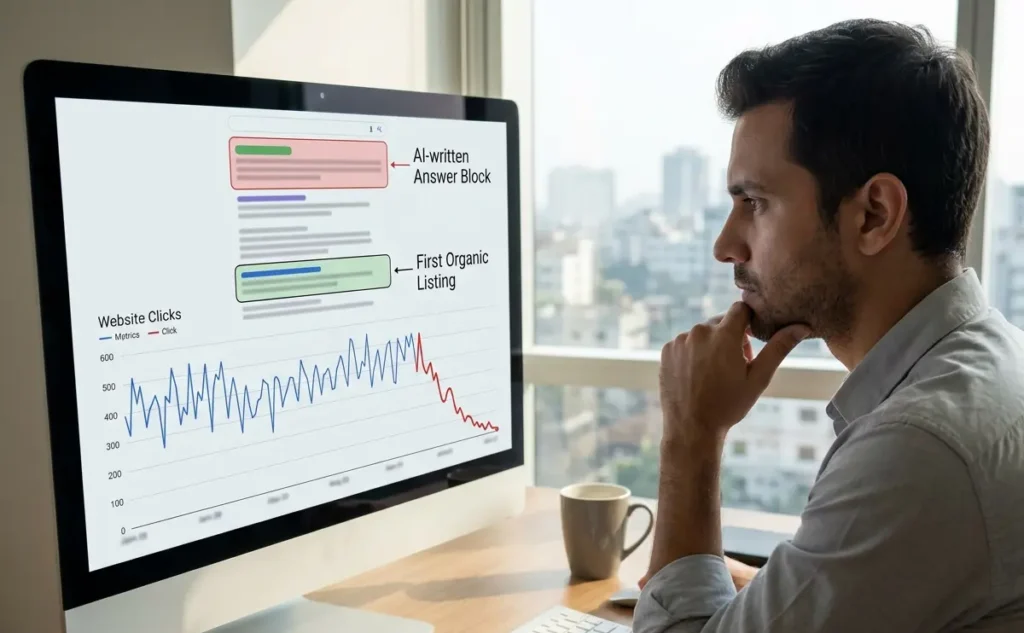
AI Overviews are one of the major changes in search lately. Now, Google often shows an AI-written answer right at the top of the results page. In many cases, users see those answers before any organic listings. Recent research also shows that AI Overviews reduce click-through rates by as much as 58% for the top-ranking page.
For some websites, the traffic drop starts here. Your pages can hold the same positions but get fewer clicks. That’s why AI Overviews have become important, where you’ll see why clicks are going down even when rankings stay the same.
Here’s a closer look at how AI Overviews influence click-through rates and where they show up in Google Search.
How AI Overviews Cut Into Organic Click-Through Rates
A page can be in the top position and lose traffic. Say you have a post on “how to reset an iPhone.” If an AI overview shows the full steps right at the top, many people will read that and leave. They get the answer without clicking your page, so your traffic drops even though your ranking hasn’t moved.
You can spot this in your data. Just go to Google Search Console and review a query like that. If impressions stay the same or rise, and your position holds around one to three, but clicks and CTR drop, something above is taking attention.
That gap between impressions and clicks is a clear sign that an AI overview may be showing above your page.
Which Google Search Results Pages Show Them Most
Not every search result includes an AI overview. These features appear most often for informational queries, how-to searches, and definition-style questions, where Google can generate a direct answer. Websites that rely heavily on this type of content often face more exposure to click loss.
To back that up, BrightEdge’s AI Overview study found that informational keywords initiate AI overviews at a rate higher than commercial ones.
One simple way to do this is by using AI visibility tools. These help you track which of your top queries now initiate AI overviews and where your pages stand. Once you have that idea, you can start adjusting your content strategy according to it.
Average Position Doesn’t Tell the Whole Story
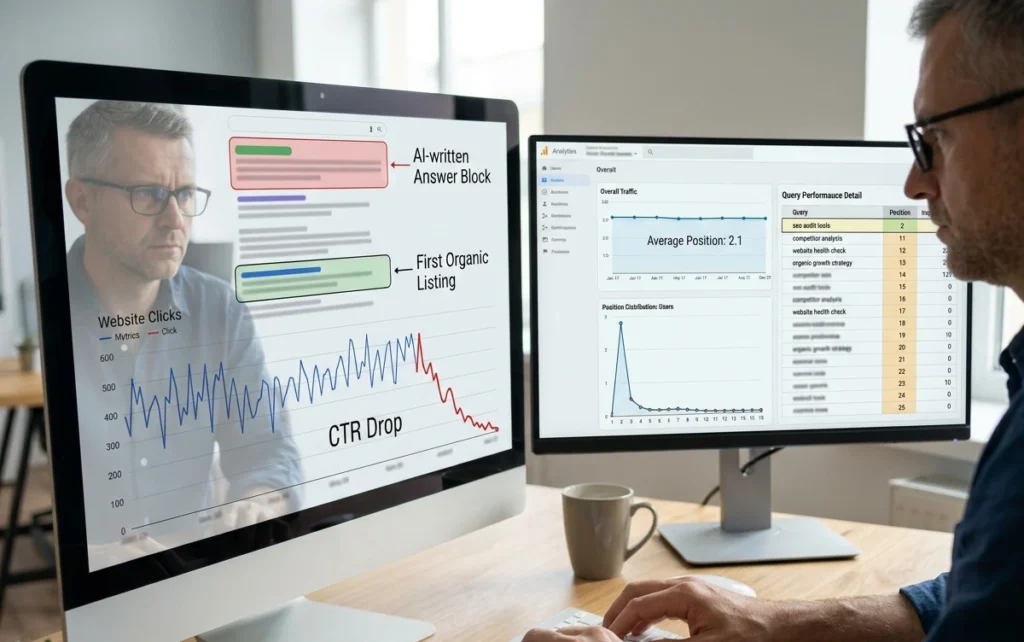
Average position is a blended metric, which means Google Search Console calculates it across every query your site ranks for. For instance, a single page at the second position for a high-volume keyword can pull the average, even while several important pages drop to page two or lower.
As a result, the overall ranking data may appear healthy while your organic search traffic continues to decline.
To see what’s happening, compare date ranges in Google Search Console and review the performance page by page. Check your top queries, see where each page ranked during that time, and look for small drops on high traffic keywords. Even a small drop in position can cause a noticeable fall in clicks and a traffic decrease.
Index Coverage and Crawl Errors: The Silent Traffic Killers
Most technical issues don’t announce themselves. Index coverage problems and crawl errors can sit undetected for weeks, pulling affected pages out of Google’s search results without any visible ranking change. By the time most site owners catch on, they’ve already lost a chunk of organic traffic.
Let’s break down what’s happening under the hood.
What Crawl Errors Do to Your Organic Rankings
When Google can’t crawl a page, it can’t read, index, or update its position in search. If a page is blocked by a crawl error, it can disappear from search results, though it was performing well the day before. Along with that, soft 404s are pages that load normally for users but signal a “not found” error to Google.
Redirect chains are similar, where one URL points to another repeatedly until Google recrawls it and stops following the track. Neither of these shows up as a lost ranking instantly, which is what makes them so damaging over time.
How to Check Index Coverage Without Guessing
As mentioned earlier, open Google Search Console and head straight to the index coverage report. You’ll see a breakdown of indexed pages, excluded pages, and any issues detected across your site.
From there, take a closer look at excluded pages, as they often point to no index tags, duplicate content, or crawl errors affecting your most important URLs.
Cross-reference those affected pages with your organic traffic data. Pages with coverage issues that also show a traffic drop are most likely the cause, and fixing those links and errors should be the first priority.
How Much Traffic You’re Losing to Date Range Blind Spots
One of the most overlooked reasons for website traffic drops is the date range you’re using to measure it. Comparing the wrong time periods in Google Analytics or Search Console’s performance report can make a traffic decrease look completely invisible.
Take a look at some of the most common comparison mistakes and what to do instead.
|
Instead of This |
Try This |
|---|---|
|
This month vs. last month |
This month vs. same month, previous year |
|
Last 7 days vs. 7 days before |
Last 7 days vs. same 7 days, previous year |
|
Quarter vs. previous quarter |
Quarter vs. same quarter, previous year |
|
Custom short range |
Full 12-month organic search traffic trend |
Seasonal dips are one of the most common reasons organic search traffic looks like it dropped when it follows a normal annual pattern. To see the real picture, compare your traffic year over year instead of just looking at recent data. This gives you a clearer view of whether your traffic is going down or just changing with the season.
Algorithm Updates, Manual Actions, and Current Events
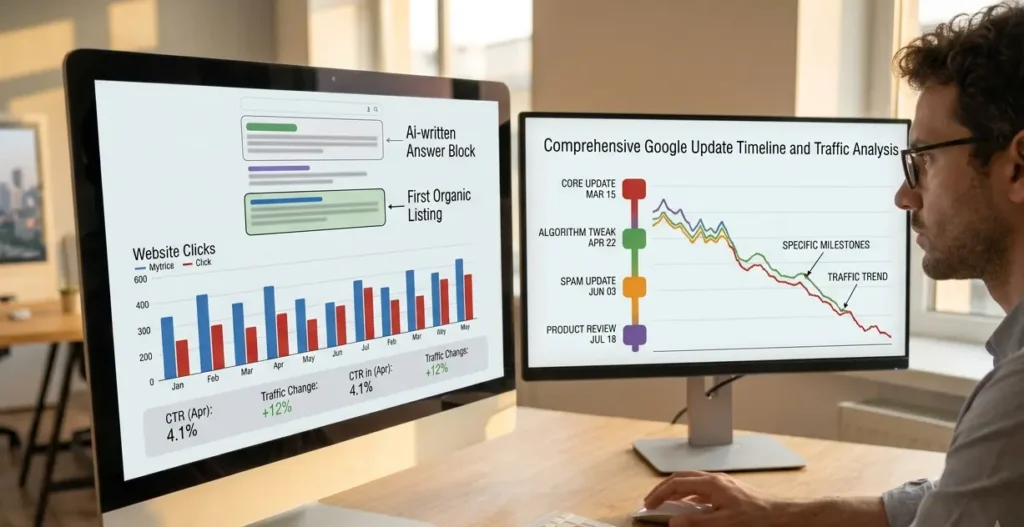
A sudden drop in organic search can sometimes trace back to a Google core update, even when rankings look stable on the surface.
Core updates shift how Google weighs certain signals, and some pages lose traffic over several weeks before the pattern becomes clear. Checking Google’s official update history against your traffic timeline is a good first step (and honestly, it takes about five minutes).
Another possibility is a manual action. Google applies one when a site violates search guidelines through low-quality backlinks, thin content, or spammy internal links. So before exploring broader traffic recovery strategies, rule out any manual actions that may affect performance.
Current events may affect traffic as well when search demand shifts toward topics your content doesn’t cover. Google Search Console helps distinguish between these issues and reduces guesswork during diagnosis. Because of that, clear data makes it easier to identify the reason behind a drop in traffic.
A Weak Content Strategy Can Stall More Traffic Over Time
Content can hold its ranking and still bleed traffic. Below are the most common ways a thin content strategy slowly drains your organic traffic without activating a single ranking alert.
- Outdated Content Stops Matching Search Intent: Users searching for “best SEO tools in 2025” won’t click a post last updated in 2022, even if it ranks on page one. Google notices that pattern fast and starts favoring fresher pages over yours.
- Gaps Around Competitive Keywords: Say a new competitor publishes 10 tightly focused posts targeting keywords your site never covered. Those pages start pulling traffic that could have been yours, and recovering it takes far longer than capturing it would have the first time around.
- No Refresh Cycle for Existing Posts: Pages that haven’t been updated in over 12 months lose relevance faster in competitive niches. Adding updated data, stronger internal links, and better examples to those posts is one of the most reliable ways to drive more traffic back to pages that have stopped growing.
A content strategy doesn’t need to be complicated, but it does need to be consistent. Even small, regular updates on your main pages can help you rank higher and recover organic traffic that has slowly moved to other sites.
Stop Guessing. Here’s Your Next Move
A traffic drop with stable rankings isn’t a dead end. Most of the time, the root cause comes down to a few specific things:
- AI overviews taking your clicks
- Crawl errors are blocking your pages
- Misleading date range comparisons
These insights come from real Search Console data we’ve worked with across different websites. The next step is to confirm which issue is affecting your site.
Start with Google Search Console and check your index coverage report first. Then pull up your manual actions tab and work through each one. If everything looks clean there, move on to your average position trends and content strategy next.
Your search traffic won’t turn around overnight, but it will move in the right direction once you’re looking at the right data. If you’re not sure where to begin, reach out to Website Traffic Increaser Guy, and we’ll help you find exactly what’s pulling your numbers down.
Leave a Reply